Login to BLISSDOCS
Once installed, open
BLISSDOCS on your device by tapping the icon from your app list.
i. a. On the
login screen, Enter the E-mail ID and click “Login”. 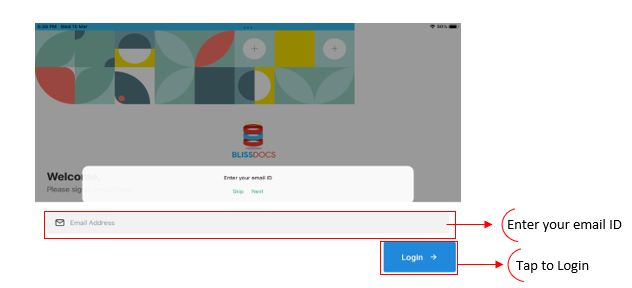
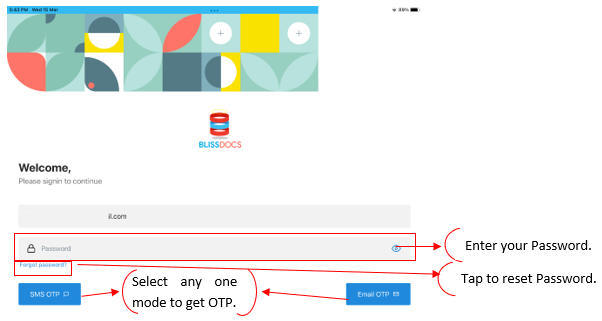
b. Enter the Password
and click SMS OTP/Email OTP as the case may be.
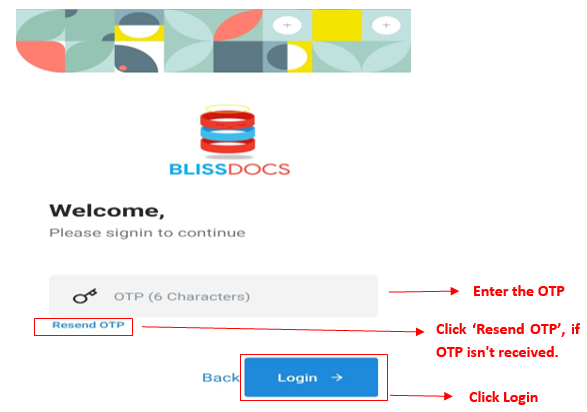
ii. Enter
the OTP received in your mailbox/mobile number and click “Login”.